How to cancel an invoice
If an issued invoice contains an error or should not be valid, you can cancel it in a controlled way.
- 01
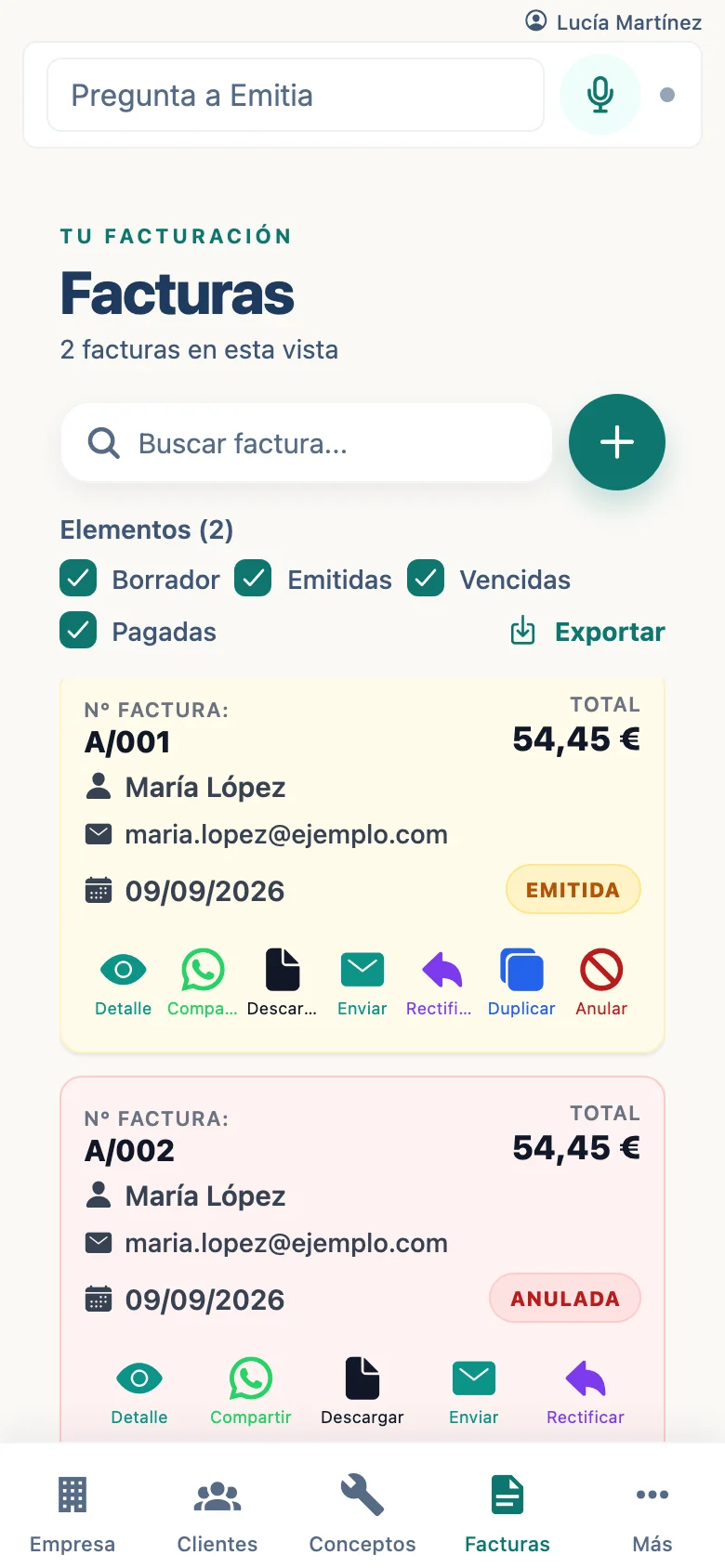
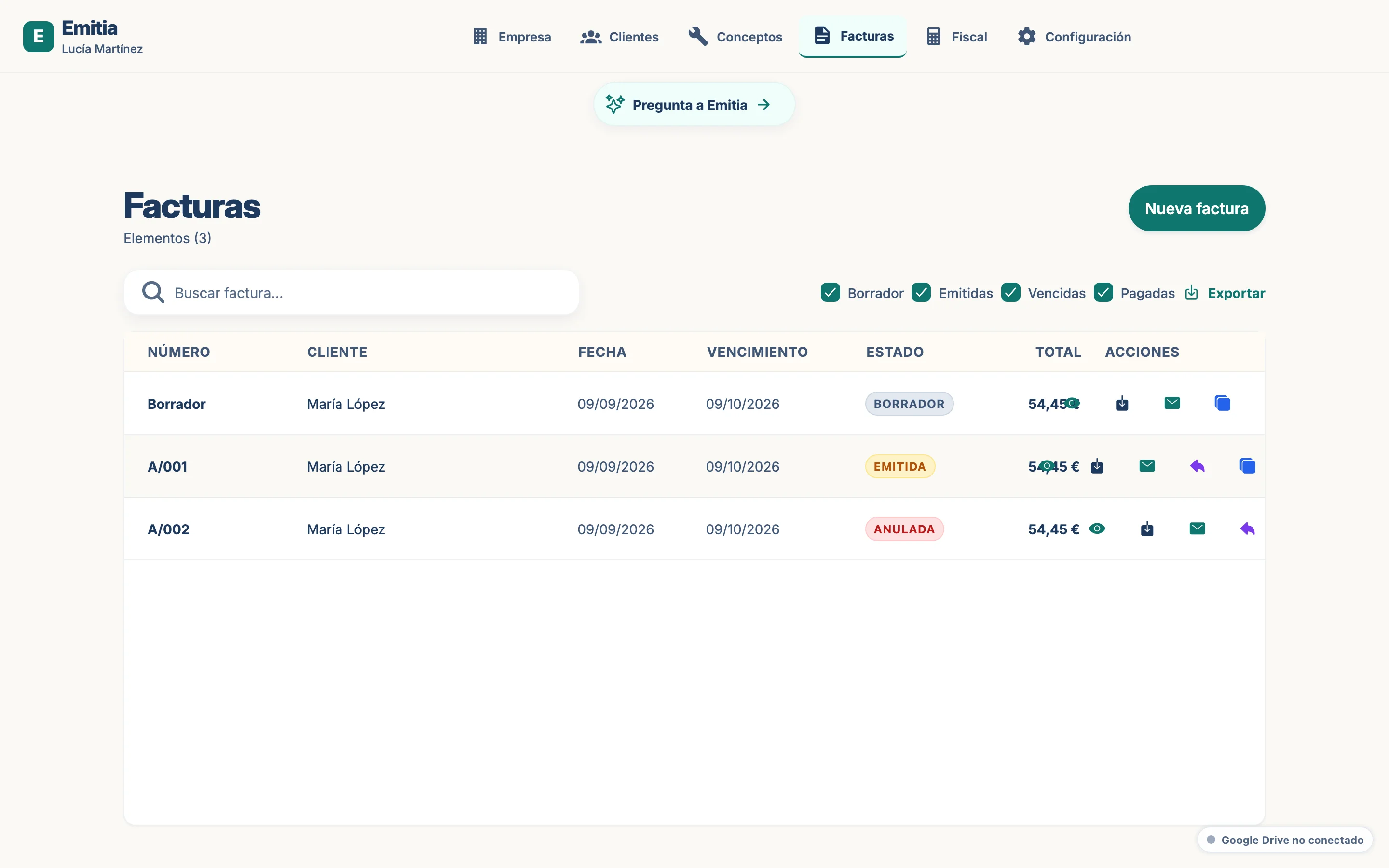
Locate the invoice
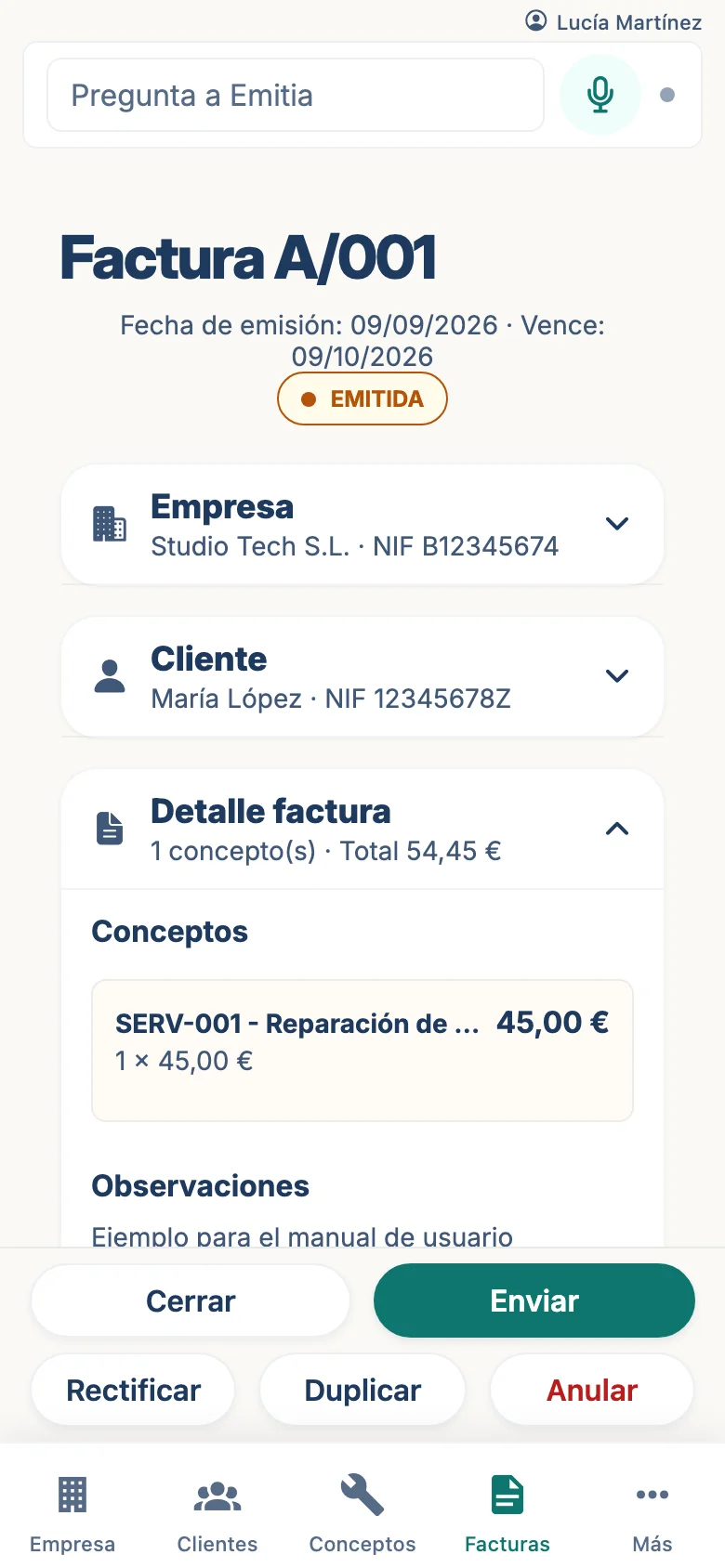
In the invoice list, open the invoice you need to cancel.
- 02
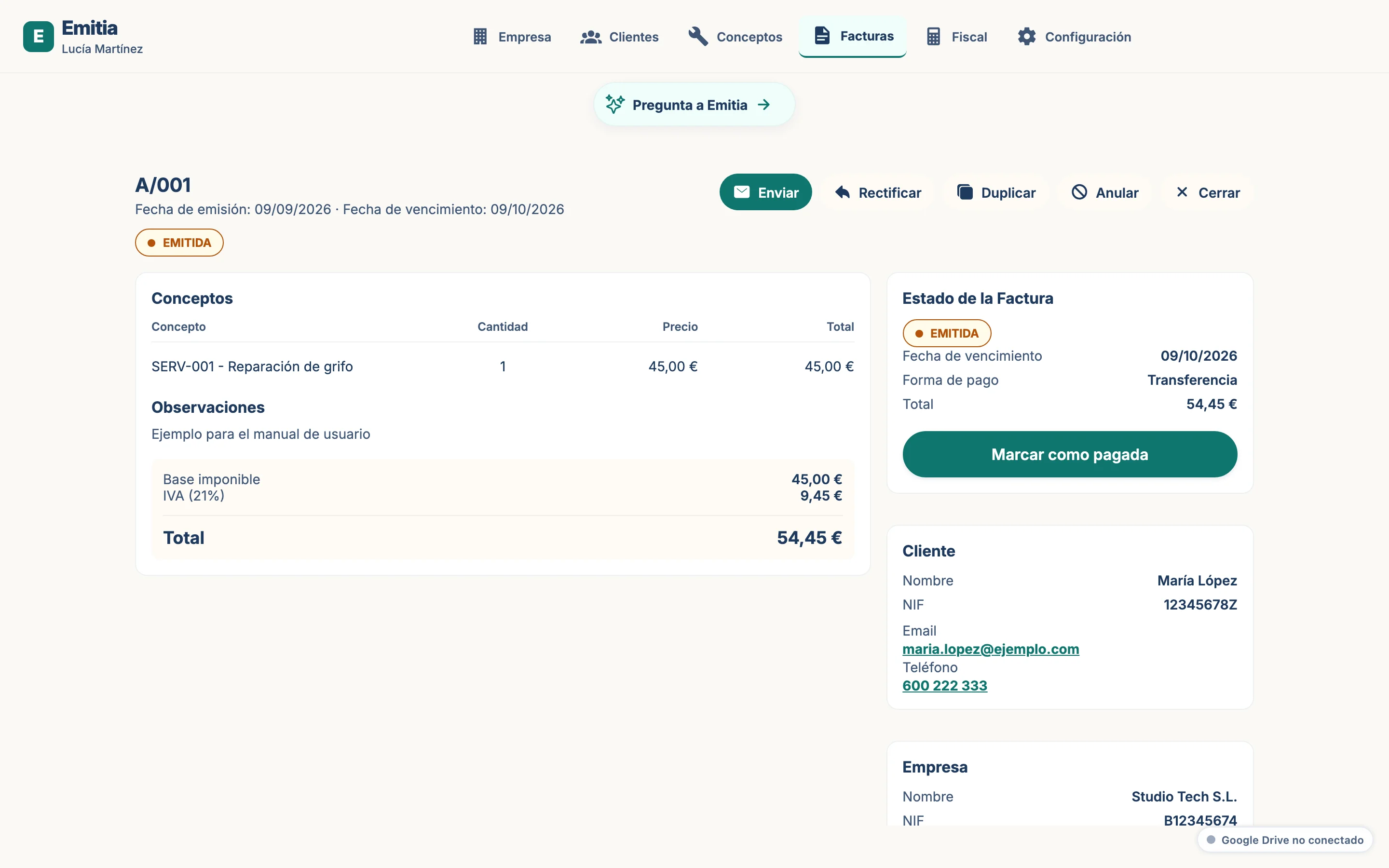
Select cancel
In the invoice details tap “Cancel”. The dialog with reasons will open.
- 03
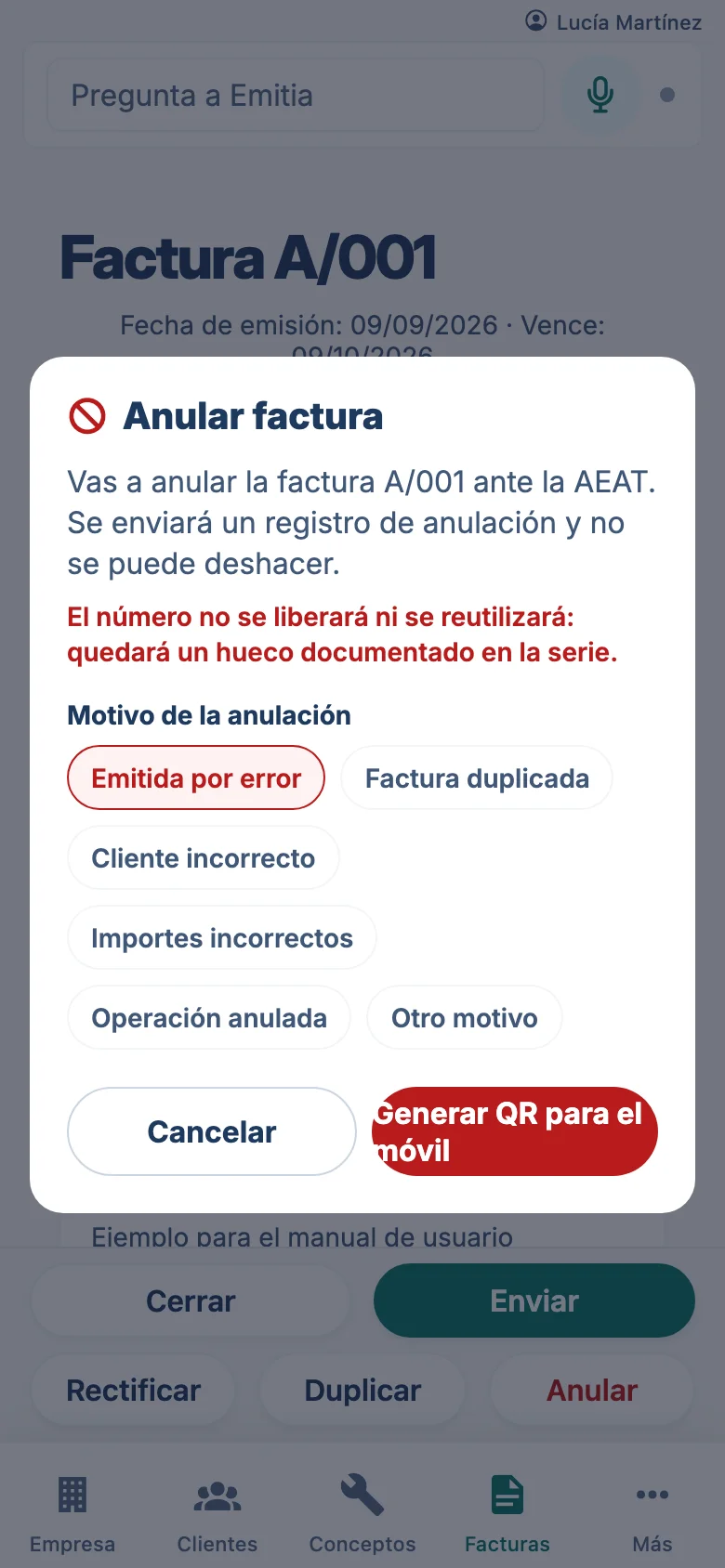
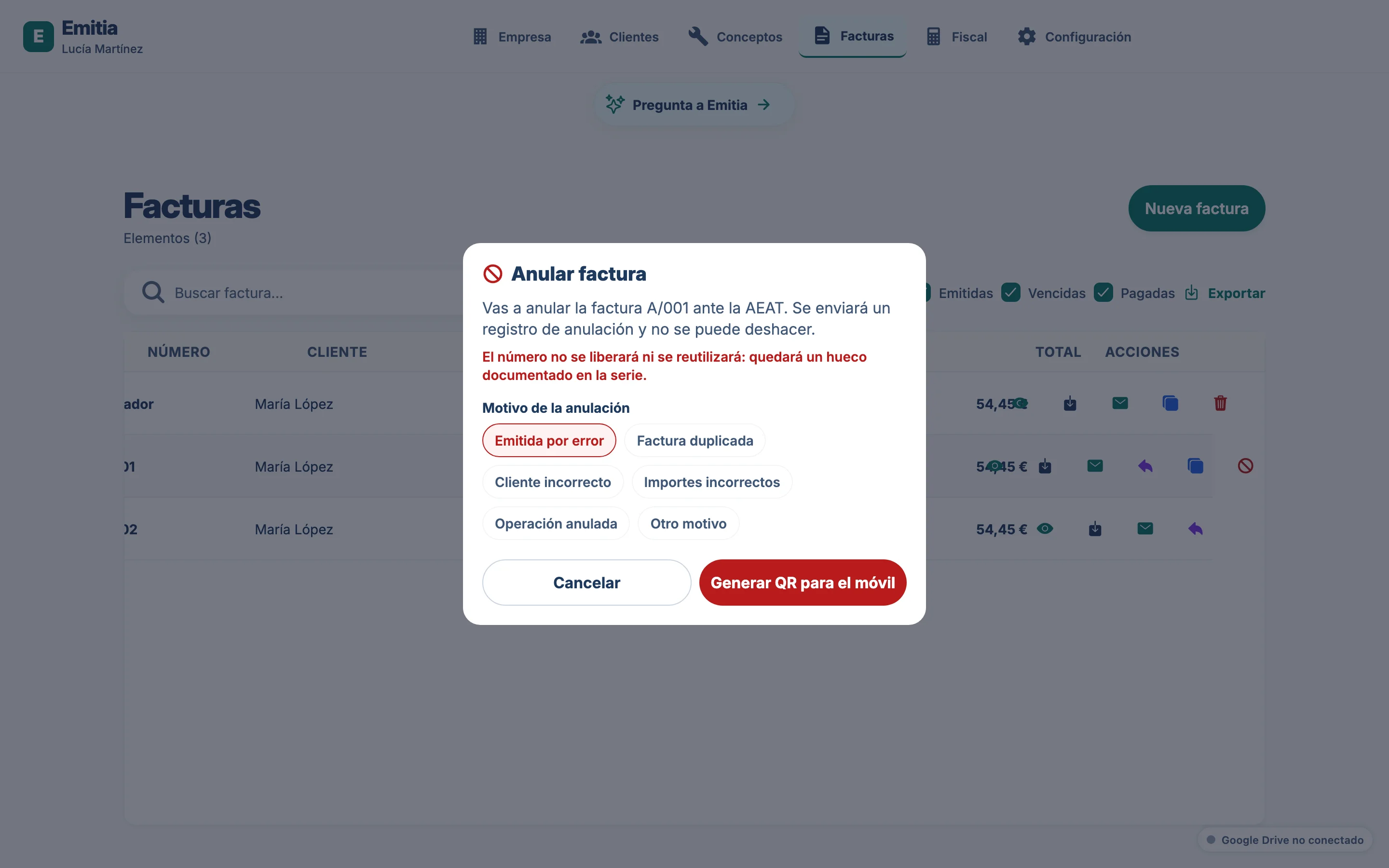
Choose the reason
Select the cancellation reason (cancellation, error, etc.) and confirm.
- 04
Invoice cancelled
The invoice will change to cancelled status. If connected to VeriFactu, Emitia will prepare the corresponding record.