How to set up your company details
The first time you open Emitia, set up your business details so your invoices automatically include your name, tax ID, address and payment terms.
- 01
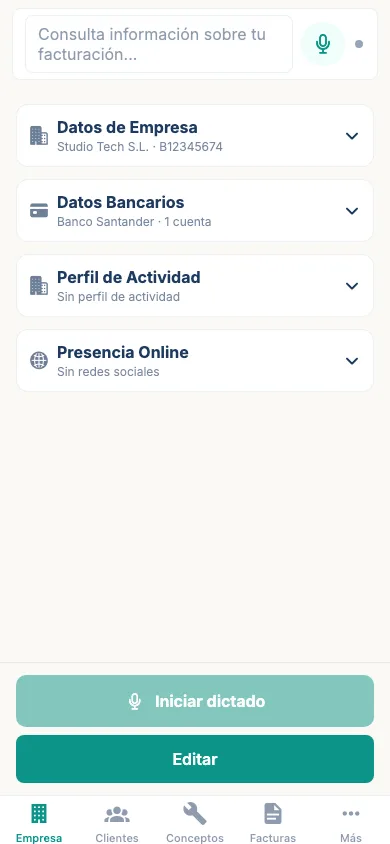
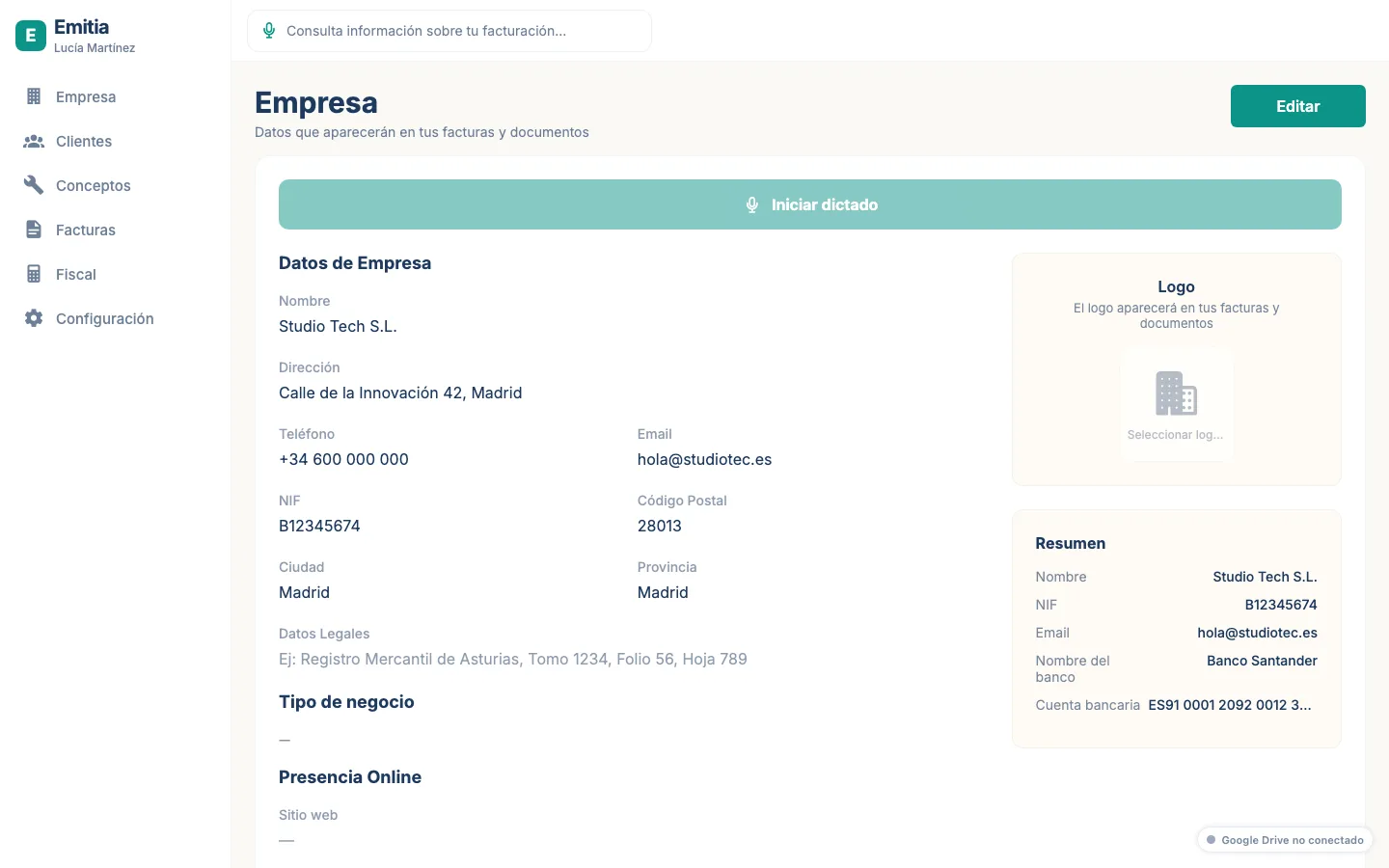
Open the Company tab
In the bottom bar (mobile) or top menu (desktop), tap “Company”. You will see your details card.
- 02
Tap edit
Tap the edit button and fill in your trading name, tax ID, phone, email, address and bank accounts.
- 03
Save your changes
Check that the data is correct and save. From now on, Emitia will use it for all your invoices.